AI Recruiting Tools for Small HR Teams
AI recruiting tools for small HR teams: how to pick screening, follow-up and interview help, and keep people in charge of every hiring decision.
By ReadyATS Team · · 5 min read

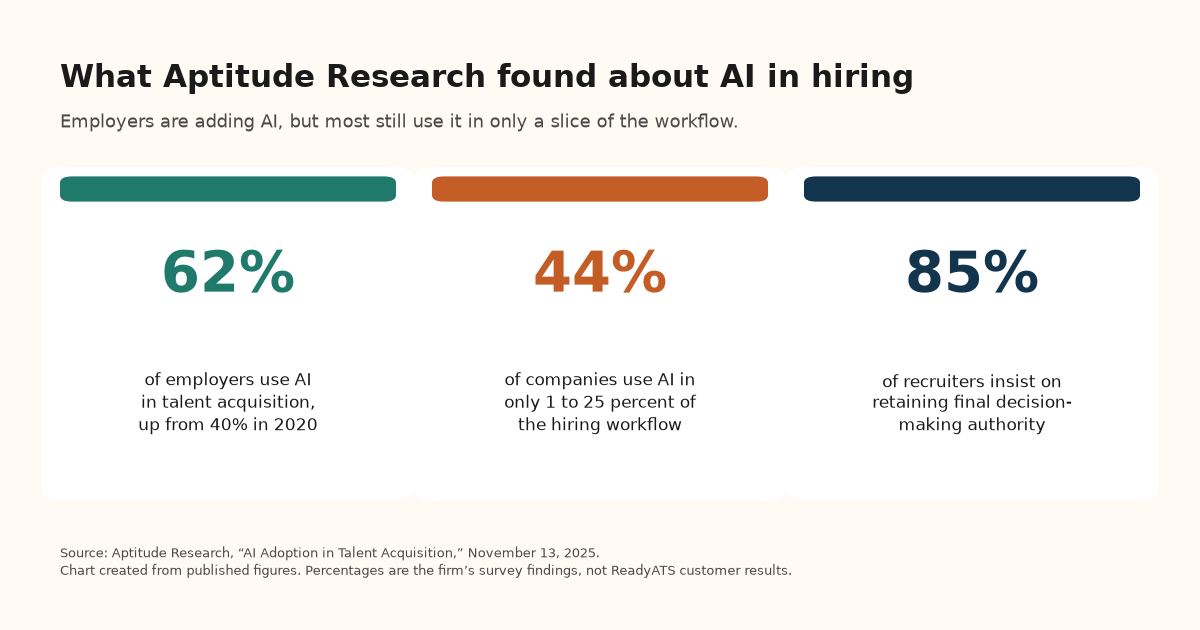
If you run hiring as a one-person or two-person HR function, AI recruiting tools can take routine screening, follow-up, and interview booking off your list, as long as your team still makes every hiring decision. Aptitude Research reported on November 13, 2025 that 62 percent of employers now use AI in talent acquisition, up from 40 percent in 2020. The same briefing said 44 percent of companies use AI in only 1 to 25 percent of the hiring workflow (Aptitude Research, November 13, 2025). That gap is the reason for this guide: how a small HR team can choose a short set of tools and actually use them.
This is a practical guide, not a ranked list of vendors. For the product view of AI hiring software, including plans and scoring, start on that hub page.
What AI recruiting tools a small HR team actually needs
AI recruiting tools, sometimes called AI recruitment tools, usually help with a few repeatable jobs:
- Screening. Read applications against the job and put the stronger ones on top, with a reason you can check.
- Follow-up. Send an acknowledgement, a reminder, or a next-step note so candidates are not left waiting.
- Interview booking. Let the candidate pick a time and receive a Google Meet or Zoom link.
- Search of your own records. Find past applicants who already fit a new opening.
Aptitude Research said screening and matching was the most common use case, at 55 percent, and that only 10 percent of companies automated final hiring decisions. In the same briefing, 85 percent of recruiters said they insist on retaining final decision-making authority. Use tools for volume work, and keep the hiring decision in human hands.
How the main approaches compare
Comparison table 1: scroll horizontally or focus the table region and use the arrow keys to read every column.
| Approach | What it does | Fits a small HR team when | Watch for |
|---|---|---|---|
| Built-in assistant in your applicant system | Screens, follows up, and books interviews where applications already live | You want one list of people and one place to act | Whether you must approve messages, and whether a score can reject someone on its own |
| Standalone sourcing tool | Finds people who have not applied | You already track applicants and need outbound search | A second login, a second bill, and a handoff back to your list |
| Chat or screening add-on | Answers candidates or scores applicants on top of your current process | You want to keep the tracker you have | Usage credits, caps, and whether a low score auto-rejects |
| Scheduling-only tool | Books the interview | Calendar wrangling is your only bottleneck | The booking still has to land on the candidate's record |
A one-person HR shop rarely needs all four as separate products. If applications already live in one system, a built-in assistant usually covers more of the week than a point tool.
How to choose AI recruiting tools without adding a stack
1. Start with the bottleneck
If resumes sit unread, you need screening with evidence. If people go quiet after they apply, you need follow-up and booking. If you refill the same role often, you need a way to search past applicants.
2. Keep people in charge of every hiring decision
A useful default is that a score supports review and never rejects someone on its own. Employer-written knock-out questions, such as a required license, are a different rule and should be logged. Some places regulate software that screens candidates. New York City's Local Law 144 is one example already discussed on our AI hiring software page and in our AI fairness statement. This is not legal advice.
3. Prefer one system of record
Every extra tool is another place a candidate can get lost. Screening, messaging, and interview links should write back to the same record.
4. Read the bill the way you actually hire
Per-user pricing is simple if only you log in, and it gets expensive when a manager or owner needs access during a hiring push. Flat monthly pricing with no per-user fee is usually easier for a small team that shares the work. For published market ranges and ReadyATS plans, see how much AI hiring software costs.
5. Look at approval, logs, and language
You should be able to read a proposed message before it goes out and see why a person was surfaced. Searching your own records in plain English is one of the AI recruiting tools already built into ReadyATS as Ask Maya.
Why ReadyATS
ReadyATS puts those jobs in one place for small and mid-size teams:
- A morning briefing, not a vanity dashboard. Maya, the assistant built into ReadyATS, judges a few KPIs, such as time to hire, against a target you set, and links every number to the people behind it.
- Ask Maya in plain English. You can search parsed resume profiles and pipeline facts, see the filters Maya understood, and edit them before you act.
- Follow-up that waits for your approval. Maya can propose a templated acknowledgement for an applicant untouched for 24 hours, and a self-schedule invite for a strong applicant. You approve each message before it goes out. Maya never rejects someone because of an AI score.
- Live interviews without a long thread. Basic includes Google Meet and Zoom scheduling and 1,000 texts a month. Plans start at $199 a month, or $179 a month billed yearly, with $0 per user, on the ReadyATS pricing page (checked November 11, 2026).
No long-term commitment, cancel anytime.
Starting ReadyATS in 15 min Now
FAQ
What AI recruiting tools does a small HR team need?
Most small teams need help with screening, follow-up, interview booking, and search of past applicants. A built-in assistant in the system that holds your applications usually covers more of that work than four separate tools.
Do AI recruiting tools make the hiring decision?
They should not. Aptitude Research reported that 85 percent of recruiters insist on retaining final decision-making authority. In ReadyATS, scores support your review, and Maya never rejects someone because of an AI score.
What does ReadyATS include for a small HR team?
Basic includes Ask Maya, AI resume scoring with evidence, Google Meet and Zoom scheduling, 1:1 texting, job board feeds, and a career page chatbot, for up to 10 active jobs, at $199 a month or $179 a month billed yearly, with $0 per user. Pro adds async video interviews, onboarding with e-signatures, SMS campaigns, and Checkr background checks.